How to Prevent Inaccessible Content Publishing
A new landing page can look complete in the WordPress editor and still exclude a keyboard user, a screen reader user, or someone relying on captions. That gap is where legal exposure and service failures begin. To prevent inaccessible content publishing, accessibility must be treated as a publishing requirement, not a cleanup task assigned after a page is live.
For organizations subject to ADA-related risk, Section 508 obligations, or internal digital accessibility policies, the practical question is not whether a team can identify occasional errors. It is whether the publishing workflow stops recurring errors before the public encounters them. The answer requires clear standards, editor controls, automated testing, and an accountable remediation process.
Why published-content reviews are too late
Post-publication audits are necessary, but they are not sufficient. Once inaccessible content is public, a visitor may already have been blocked from a form, document, course resource, product detail, or government service. The organization then has to triage the issue, coordinate edits, retest the fix, and document what happened.
This approach also creates a scale problem. WordPress sites change constantly: marketing teams add campaign pages, departments upload PDFs, authors insert images, and agencies deploy new templates. A quarterly scan can identify accumulated issues, but it cannot prevent a problematic heading structure or unlabeled form field from being introduced between audits.
Publishing controls shift accessibility earlier in the process. They give authors feedback while the page, post, or custom post type is still being created, when the responsible person has context and the fix is usually faster.
Build a workflow to prevent inaccessible content publishing
An effective workflow starts by defining what happens when a potential accessibility issue is detected. Not every finding carries the same severity, and not every organization needs identical controls. A public university publishing course materials may need strict document review and a formal exception path. A small business may begin with high-impact content errors and expand its process as it matures.
The key is to set a minimum standard that applies before content can go live. For most WordPress teams, that standard should align with the applicable WCAG success criteria, typically WCAG 2.1 or WCAG 2.2, alongside Section 508 requirements where relevant. Internal policy should also identify the person or role authorized to approve exceptions.
Set publishing rules authors can follow
Authors should not need to interpret technical source code to make compliant decisions. Translate requirements into editorial rules tied to the tasks they perform. Images need meaningful alternative text when they convey information. Decorative images should be marked appropriately so assistive technology can ignore them. Headings must describe the page structure and progress in a logical order. Links need descriptive text that makes sense outside surrounding context.
Forms require particular care because they are often tied to payments, applications, appointments, and customer support. Every input needs a programmatically associated label, errors need to be clear, and required fields should not be identified by color alone. Video and audio content need appropriate alternatives, including captions when spoken content is presented.
Color contrast is another common failure point. A brand-approved color palette does not automatically meet WCAG contrast requirements when applied to body text, buttons, hover states, or text over images. Teams should give editors approved color combinations rather than expecting every author to calculate contrast independently.
Block high-confidence errors before publication
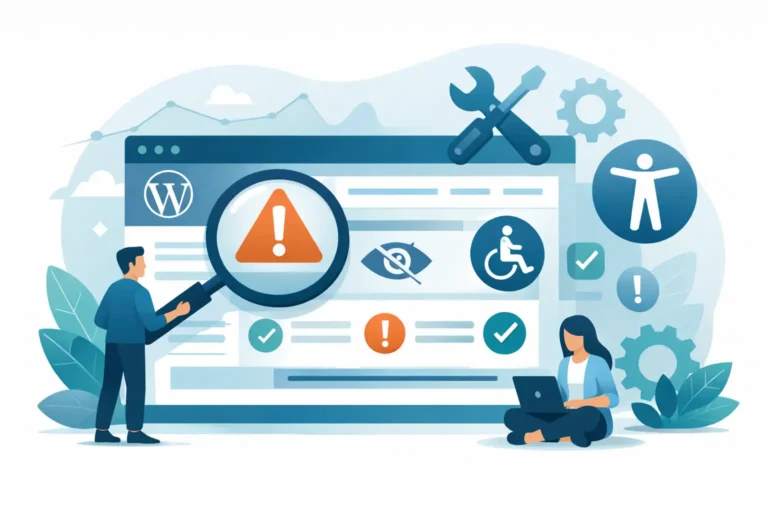
The strongest control is a publishing gate that identifies clear accessibility failures and prevents publication until they are resolved or formally reviewed. This is especially useful for recurring WordPress content problems such as missing alternative text, empty links, skipped heading levels, missing form labels, and insufficient color contrast.
A gate should be firm without becoming disruptive. If it blocks authors for issues they cannot understand or correct, they will route around the process or treat accessibility as a frustrating technical obstacle. The alert needs to identify the affected element, explain why it fails, and point the user to the exact WordPress editing location.
WP ADA Compliance Check supports this model by scanning WordPress content and site components against WCAG 2.1, WCAG 2.2, and Section 508 criteria, while providing remediation details and publishing controls for identified errors. That integration matters because authors can address issues in the workflow where they occur rather than working from an isolated audit spreadsheet.
Use warnings for issues that require judgment
Automation is valuable, but it cannot determine every accessibility outcome. A tool can detect that an image has alternative text, but it cannot always know whether the text accurately communicates the image’s purpose. It can identify a link labeled “Read more,” but the final decision may depend on the surrounding context and intended user journey.
Warnings are appropriate for these judgment-based issues. They prompt an author or reviewer to verify the content without treating every decision as a hard failure. This distinction improves adoption: block objectively testable errors that create clear barriers, and use review queues for items requiring human assessment.
Cover more than posts and pages
A publishing workflow limited to blog posts leaves major exposure unaddressed. On a complex WordPress site, inaccessible content can originate in page builders, custom post types, widget areas, navigation menus, theme templates, pop-ups, embedded forms, and downloadable documents.
PDFs deserve dedicated attention. A PDF uploaded through the media library may contain untagged headings, unreadable tables, missing document language, or images without text alternatives. The web page hosting the file can be accessible while the essential information inside the PDF remains inaccessible. If a document is required to complete a service, understand a policy, or access educational material, it belongs in the same governance process as HTML content.
Templates also need separate testing. An author may publish perfectly structured copy into a template with an inaccessible mobile menu, duplicate landmark regions, or a modal that traps keyboard focus. These are not editorial errors, but they affect every page using that component. Sitewide scans and theme-level reviews are necessary alongside content-level publication checks.
Assign ownership before an issue becomes urgent
Accessibility programs fail when findings have no owner. Marketing may control copy, IT may control plugins, an agency may control the theme, and legal may be accountable for risk. Without a defined process, an issue moves between teams while the inaccessible content stays live.
Assign responsibilities by type of work. Authors should resolve content-level issues within their control. Developers should remediate template, code, and integration failures. A compliance manager or designated reviewer should monitor exceptions, recurring failures, and remediation deadlines. Agencies should include accessibility acceptance criteria in their build and handoff process.
Exception handling should be documented, limited, and time-bound. There are legitimate cases where a page must be published before every issue can be resolved, such as an emergency public notice. In those situations, record the reason, the user impact, the temporary accommodation, the owner, and the target remediation date. An exception is a managed risk decision, not a permanent waiver.
Measure the workflow, not just the error count
Raw error totals are useful, but they can be misleading. A large site may reduce its error count while still repeatedly publishing the same preventable issue. Track the rate of blocked publications, the most common authoring errors, time to remediation, open critical issues, and the number of approved exceptions.
These measures reveal where training or system changes are needed. If missing alternative text is common, update the media workflow and author guidance. If contrast errors appear after a redesign, revise editor color controls. If the same plugin output creates repeated failures, address the source rather than correcting each page individually.
Periodic manual testing should remain part of the program. Automated checks can efficiently detect many objective issues across a large WordPress environment, but keyboard operation, focus order, screen reader announcements, meaningful alternative text, and task completion often require human review. The appropriate balance depends on site complexity, update frequency, and the consequences of a user being unable to access a service.
Accessibility becomes manageable when it is built into the moment content is created, reviewed, and approved. Establish clear rules, give authors actionable feedback, block the failures that should never reach the public, and use recurring scan data to improve the system behind the content.
Subscribe
Subscribe to receive daily Web Accessibility - Did you know? articles in your inbox.