Accessibility Reporting for Agencies That Scales
A client should not have to ask whether their website was checked for accessibility last month, what failed, or who owns the fix. Accessibility reporting for agencies turns that uncertainty into a documented operating process: what was scanned, which standards were applied, where issues exist, what changed, and what still requires attention.
For agencies managing several WordPress sites, that documentation matters as much as the scan itself. A report that only shows a large issue count creates pressure but not progress. A useful report gives account managers, developers, content teams, and compliance stakeholders the evidence needed to make decisions and complete remediation work.
Why Agency Accessibility Reports Need More Than a Score
An overall accessibility score can be useful as a high-level trend indicator, but it is not proof of ADA readiness or WCAG conformance. A score can hide a critical keyboard barrier behind dozens of minor warnings. It can also make a site appear improved when the underlying issue has simply moved to a different template, post type, or PDF.
Agencies need reporting that separates severity, scope, and ownership. A missing form label on a public contact form deserves immediate attention because it can block a user from completing a core task. Repeated empty links in an old blog archive may require a different remediation plan, especially if a redesign is already scheduled. Both issues belong in the report, but they should not receive the same priority.
The report also needs to show coverage. If the audit includes only a homepage and a few marketing pages, it cannot represent the condition of a large WordPress installation. Agency teams should be able to account for published posts, pages, custom post types, menus, widgets, theme files, linked documents, and other content that can affect a visitor’s experience.
What Accessibility Reporting for Agencies Should Document
The strongest reports answer practical questions before the client has to ask them. They identify the scan date, the applicable standard, the content and templates reviewed, the number of detected issues, and the remediation status. They also retain enough detail for a developer to locate the source of each problem without repeating the investigation.
For WordPress work, exact locations are especially valuable. A report should point to the affected page or post, the relevant element or code, and the editing path when available. Telling a client that their site has insufficient color contrast is not enough. The team needs to know whether the problem appears in a button block, a theme stylesheet, a page builder component, a navigation state, or a custom widget.
A practical agency report should include these four layers of information:
- Executive status: overall progress, critical open issues, recent changes, and decisions requiring client approval.
- Standards findings: individual failures mapped to WCAG 2.1, WCAG 2.2, Section 508, or the client’s stated requirement.
- Remediation detail: affected URLs, code or content locations, issue descriptions, and recommended corrections.
- Verification record: items fixed, rescanned, manually tested, deferred, or accepted as a documented exception.
This structure keeps reports useful at different levels. A compliance manager can review risk and progress, while a developer can work directly from the findings. The agency does not need to produce separate documents that contradict one another or force staff to translate technical results into client-ready language every month.
Build Reporting Into the Delivery Workflow
Accessibility reporting works best when it is part of the agency’s normal delivery cycle, not an emergency response after a complaint, demand letter, or failed procurement review. The right cadence depends on the client’s publishing volume and the complexity of the site.
A municipality, university department, or high-traffic organization with frequent content changes may need weekly scans and a monthly stakeholder report. A smaller business site with limited publishing may use a monthly scan and a quarterly review. A redesign, migration, or new feature release should always trigger targeted testing before launch, regardless of the standard reporting schedule.
Start with a baseline report. This is the record of known issues at the beginning of the engagement and should distinguish between inherited problems and defects introduced during ongoing work. Without a baseline, agencies can end up debating responsibility instead of resolving barriers.
Then establish issue ownership. Development teams typically own template, theme, component, and JavaScript problems. Content teams often own headings, alternative text, link language, document uploads, and media captions. The client may need to approve brand color changes, third-party software replacements, or the retirement of inaccessible legacy content. Reporting should make those dependencies visible rather than leaving them in email threads.
Publishing controls are another practical consideration. If an agency waits for a monthly report to identify repeated missing alt text or heading errors, the same problem can spread across dozens of new pages. WordPress-native checks that flag or block certain accessibility errors before publication help protect the site between formal reporting cycles.
Prioritize by User Impact, Not Raw Volume
An issue list is not a remediation plan. Agencies should classify findings based on the effect on users and the role of the affected content. Blocking issues deserve the fastest response: keyboard traps, inaccessible forms, missing programmatic labels, broken focus behavior, and controls that cannot be operated with assistive technology.
Next come recurring component-level errors. Fixing an incorrect menu pattern, button style, modal implementation, or page builder module can resolve the same failure across a large portion of the site. These items often offer the best return on development time because one correction reduces risk on many URLs.
Content-level issues should still be tracked carefully, but they may require a phased program. Thousands of old images without meaningful alternative text cannot always be corrected in one sprint. In that case, the report should identify high-traffic and task-critical content first, document the remediation schedule, and show measurable progress over time. Deleting or replacing obsolete content may be more responsible than attempting to patch every legacy asset.
This is where reporting becomes a client service rather than a data export. The agency can explain why a visible issue is scheduled later than an invisible but more serious keyboard failure. Clear prioritization builds trust because it shows that the work is based on accessibility impact, not whichever item is easiest to close.
Automate Broad Coverage, Then Validate What Tools Cannot Decide
Automated auditing is essential for scale. It can consistently identify many detectable failures across WordPress content and templates, including missing alternative text, empty links, heading structure concerns, form labeling problems, and contrast failures. It also gives agencies repeatable evidence that scans occurred and helps prevent regressions after updates.
WP ADA Compliance Check supports this workflow by scanning WordPress content, theme files, custom post types, widgets, menus, PDFs, and linked pages while providing detailed remediation guidance. For agencies, the ability to export and white-label reporting can make accessibility status easier to incorporate into a standard client deliverable.
Automation has limits, and a credible report should say so. A scanner cannot reliably determine whether alternative text conveys the purpose of an image, whether a heading accurately describes the following section, or whether an error message is understandable in context. It also cannot replace keyboard testing, screen reader testing, and human review of complex workflows such as checkout, account management, appointment scheduling, or emergency alerts.
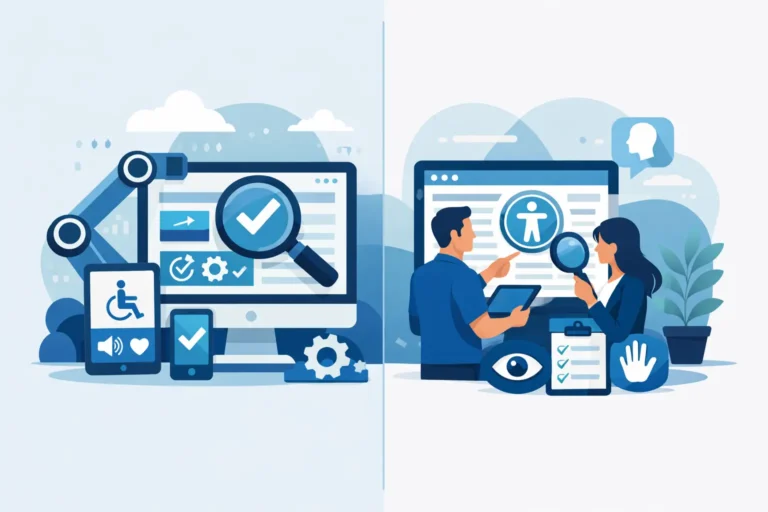
The right approach is not automation versus manual testing. It is automation for ongoing breadth and repeatability, paired with human validation for user experience, context, and high-risk journeys. Reports should distinguish automated findings from manually verified issues so clients understand the nature of the evidence.
Make Reports Defensible Without Overpromising
Avoid language that claims a website is permanently compliant after a single scan. Websites change, plugins update, content editors publish new material, and third-party services introduce new interfaces. Accessibility is an ongoing operational responsibility.
A defensible agency report states the standard used, the date and scope of testing, the tools and methods applied, open findings, completed remediation, and known limitations. If a third-party payment platform or embedded application is outside the agency’s direct control, document it clearly. That does not remove the user barrier, but it prevents ambiguity about ownership and supports a more informed client decision.
Clients also need trend reporting. Show whether critical findings are declining, whether recurring errors are being prevented, and whether remediation deadlines are being met. A report that tracks the same unresolved barriers month after month should prompt a conversation about resources, approvals, or process failures.
Turn Each Report Into a Better Publishing Standard
The best accessibility report does more than record defects. It identifies the patterns creating them. If every monthly scan finds vague link text, the answer may be a content training requirement and editorial checklist. If color contrast failures return after each campaign launch, the agency may need approved accessible color tokens in the design system. If document uploads repeatedly fail, the client may need a PDF remediation process before publication.
That is the long-term value of accessibility reporting for agencies: it makes risk visible, assigns work to the right people, and gradually replaces reactive fixes with accountable publishing practices. A report should leave the client with a clear next action, not just another spreadsheet of problems.